Organize PDF
Reorder, rotate and delete pages in one place.
or drop them here. Accepts .pdf. Up to 50 MB.
Keep this page open until it finishes.
How to organize PDF pages
-
1. Add your PDFs
Choose one or more PDFs or drop them on the page, up to 50 MB and 300 pages in total.
-
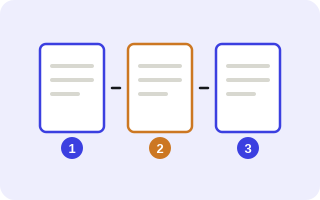
2. Reorder, rotate, remove
Each page is a card. Move it earlier, turn it clockwise or remove it. The summary counts what you changed.
-

3. Save and download
Select Save PDF. Download the new PDF. You can delete it from our server straight away with Delete now.
Organize PDF: questions and answers
Can I rearrange pages from more than one PDF?
Yes. Add several files and all their pages share one grid, coloured by source file.
How many pages can I work with?
Up to 300 pages and 50 MB in total.
What is the difference from Merge PDF?
They share the same page grid. Merge is set up for combining files, Organize for tidying pages. You can switch between them without uploading again.
Is it safe to upload my files?
Files are used only to do the task you asked for. Your files and results are deleted within 1 hour of your last upload, and the Delete now button removes them immediately. The one exception is a PDF you choose to share with Share PDF: it is kept for 24 hours, or until you delete it.
Do I need an account?
No. There is no sign-up, and results carry no watermark.
What is the size limit?
Up to 50 MB per task.
Are uploads checked for viruses?
Yes. Every upload is scanned before it is processed, and a file that is flagged is refused and deleted.